Showing posts with label conversational cad cam. Show all posts

Monday, January 26, 2015

New Release : Kipware® SketchPad Machinist CYCLE Mode

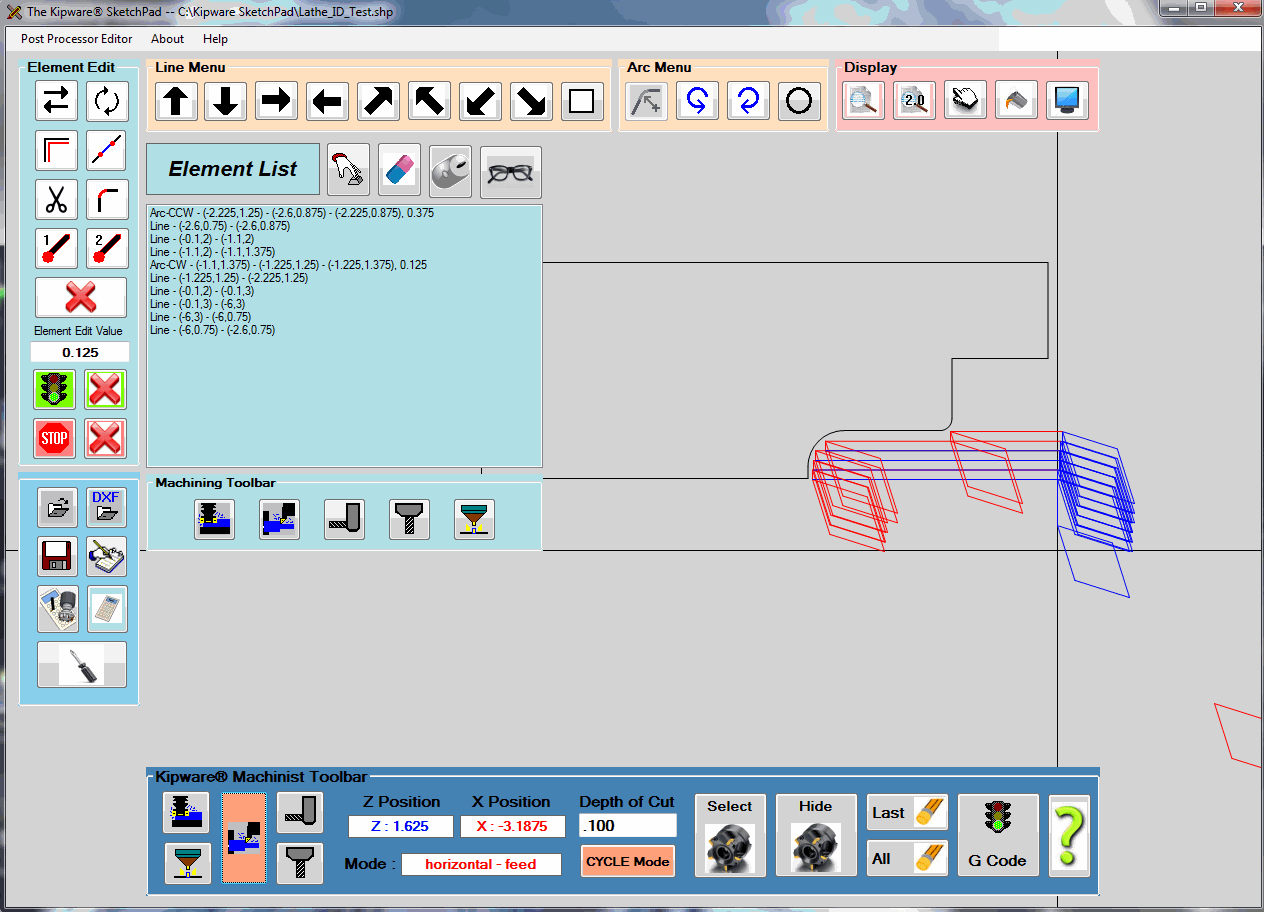
Kentech Inc. is pleased to announce the release of the CYCLE MODE for the Kipware® SketchPad - Conversational CAD/CAM application. The new Kipware® SketchPad ... Version 11.0.0 ... is available STANDARD with ALL Kipware® Conversational CNC Programming titles and also is available as a stand-alone application.


The MACHINIST MODE in the Kipware® SketchPad is our unique toolpath creation function that allows users to create G code programs for ANY shape and pattern by simply moving and double-clicking the mouse ... which is an on-screen simulation of a user defined cutting tool.  Using RAPID, FEED, HORIZONTAL, VERTICAL, FREE HAND and now CYCLE modes ... users can quickly and easily create G code programs that has them in complete control of the cutting toolpath. No complex menus and no complex commands ... just move the mouse and double-click to record.

The new CYCLE mode adds even more control by allowing the user to control the DEPTH OF CUT with simple keystrokes of the keyboard ARROW keys. These keys combined with the RAPID and FEED modes allow for the fast and easy creation of ROUGHING toolpaths for ANY type of contour or shape.

The video below illustrates both the MACHINIST mode and new CYCLE mode in more detail :


For additional information on Kipware® conversational titles 
as well as the Kipware® SketchPad ... 
please visit our website : www.KentechInc.com

Kenney Skonieczny - President
Kentech Inc.


Thursday, March 20, 2014

New Release - Y Axis Programming Now Available in the Kipware® SketchPad

On the heels of our ground-breaking conversational Y axis programming release for KipwareT® ... CLICK HERE for info on that release ... we have now also released Y axis programming capabilities in the Kipware® SketchPad. Using either the SketchPad Machinist Mode or the normal finishing mode ... users can create G code programs for Y axis milling on either the FACE or the O.D. of a workpiece.

Some feature outline :

  1. Using simple - standard X/Y drawing ... the user can either draw directly in the SketchPad or import a DXF file into the SketchPad.
  2. After the toolpath is created or selected ... the SketchPad automatically takes care of all transposing of coordinates to create either an X/Y toolpath on the FACE using X diameter or X radius values ... or a Y/Z toolpath on the OD using either X diameter or X radius values.
  3. All Live Tool machine functions such as M codes are completely user configurable within the SketchPad to insure complete compatibility with YOUR equipment.


We invite you to view the video link above for additional illustrations and information.

You can also visit our YouTube Channel ... KTSoftware ... to view our wide selection of presentation and training videos for ALL our Kipware® titles.

Kenney Skonieczny - President
Kentech Inc.

DUMP the limited, under-developed so called "wizards" ...
GO PRO with Kipware® Conversational !!